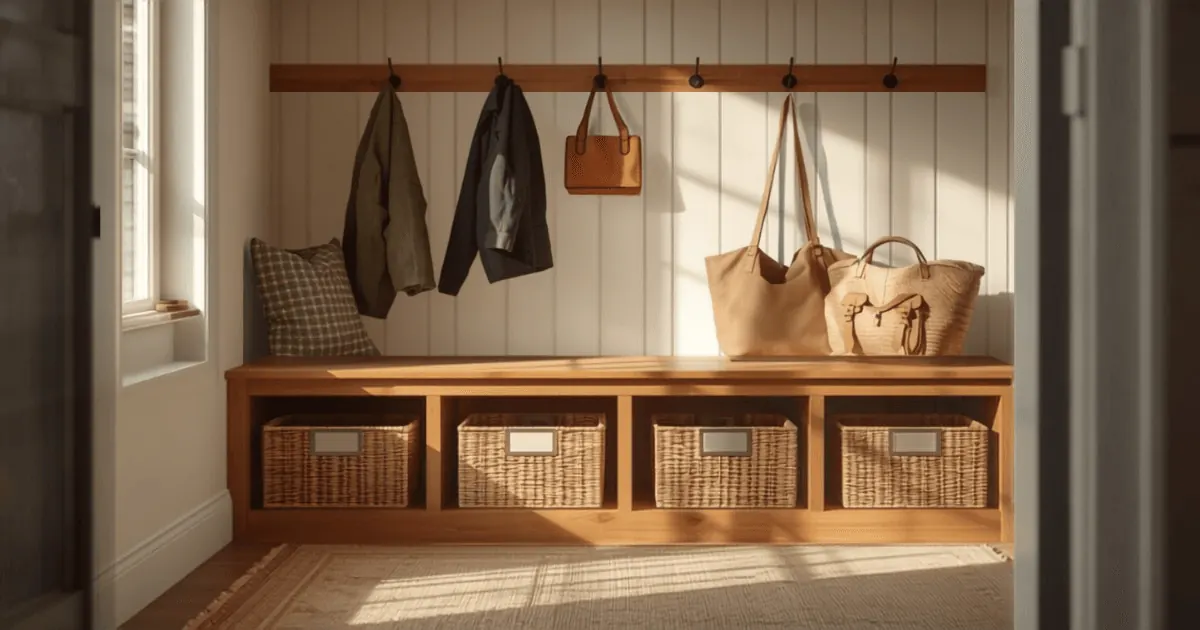
A dedicated charging station organizer with built-in cable management, multiple device slots, and a low profile that fits standard entryway tables is the most practical solution for family homes--the key is choosing one that accommodates your household's device count (typically 4--6 slots for average families) while keeping cables hidden and devices upright and accessible. The best models combine sturdy construction, weatherproof materials if near exterior doors, and labeling options so each family member knows which cable belongs to whom.
Last updated: January 2025. Prices and availability change; verify before buying.
Why Your Family Entryway Needs a Charging Station Organizer
The entryway is where chaos lives in modern households. Phones, tablets, smartwatches, earbuds, and portable speakers all need charging, and without a system, cords tangle, devices get lost, and chargers vanish from the one place everyone passes through first. A charging station organizer transforms that entry chaos into a single, intentional hub where every device has a home and every family member knows exactly where to find their charger.
Beyond function, a well-designed charging organizer protects your home's electrical safety. Tangled cords create fire hazards, and devices sitting loose on surfaces invite spills and falls. Organizers elevate devices away from moisture (especially important if your entryway is near a door or mudroom), consolidate power needs into one or two outlets rather than scattering plugs around the room, and reduce the visual clutter that makes entryways feel cramped.
For families juggling multiple devices and schedules, an organizer also serves as an accountability tool: kids learn to dock their devices when they come home, tablets are less likely to disappear into bedrooms, and you can see at a glance if someone's phone is actually charging. It's organization with a behavioral payoff.
Key Features to Prioritize in an Entryway Charging Organizer
Before comparing specific styles, identify which features matter most for your space and household:
Device Capacity and Slot Flexibility Count the devices your household owns and charges daily: smartphones, tablets, smartwatches, earbuds cases, and portable batteries all add up. Most families benefit from organizers with at least 4--6 slots, though some households need 8--10. Look for designs that let you choose slot width or angle, so a wide tablet doesn't block access to phone slots.
Power Source and Cord Management Does the organizer include an integrated power strip or require you to plug individual chargers into existing outlets? Built-in strips with 3--6 outlets are more convenient but heavier and less portable. Models that hide cords through rear channels or cable clips prevent the "octopus of cords" look. Verify that cord routing doesn't force you to position chargers awkwardly or pinch cables.
Material and Durability Entryway organizers face dust, temperature swings near exterior doors, and family traffic. Bamboo, solid wood, and composite materials resist moisture better than thin MDF. Metal frames and reinforced dividers prevent sagging when loaded with devices. Check weight capacity--a poorly made organizer can wobble dangerously or collapse under the load of a family's electronics.
Footprint and Height Measure your entryway table or shelf. A compact organizer (12--16 inches wide) works for narrow spaces, while open shelving or large consoles can accommodate wider units (20--28 inches). Height matters too: if your organizer sits on a table, the total height should remain under 18--20 inches so it doesn't block sightlines or feel cramped above a console.
Aesthetics and Finishes Your charging station will be visible to guests and family daily. Neutral finishes (white, black, natural wood tones) integrate into most entryways, while colored options and textured materials (woven, metal mesh) add design interest. Minimalist designs work in modern homes; vintage or rustic frames suit farmhouse entryways.
Accessibility for Kids If children use the organizer, ensure slots and openings are sized so small hands can insert plugs safely, cables don't create tripping hazards, and any power strips or outlets are positioned out of reach or behind the organizer to prevent accidental contact.
Types of Charging Station Organizers
Multi-Slot Upright Organizers
These vertical or angled designs stack device slots like a comb, with each device resting in its own groove or compartment. Most are 10--18 inches tall and 12--24 inches wide, designed to sit on a table or shelf directly next to an outlet or power strip.
Best for: Families with 4--8 devices that prefer everything at eye level and in one compact footprint. Works well on narrow console tables or shelves.
Materials: Often bamboo or solid wood frames with dividers; some include removable felt or silicone liners to protect device screens.
Typical capacity: 4--8 device slots, with most accommodating standard phones and small tablets.
Cable management: Many have a rear channel or slot for cords, but you'll still need to route chargers to the outlet, which may require some manual cable organization behind the unit.
Wooden Organizer Boxes with Lid or Open Design
Box-style organizers store power strips inside and offer device slots on top or sides. Designs range from simple open boxes to elegant enclosed cabinets with a hinged or lifting lid that hides the power strip and cord tangle.
Best for: Families wanting a more traditional, furniture-like appearance and complete cable concealment. Excellent for mudrooms or entries with strong design consistency.
Materials: Typically solid wood (oak, walnut, pine) or high-quality plywood, sometimes with metal accents or handles.
Typical capacity: 4--6 devices, plus room inside for cables, extra chargers, and small accessories.
Cable management: Superior; cables are routed inside the box and out through a hole or port at the back, completely hidden from view.
Wall-Mounted Organizers
Mounted to the wall above a console or directly on entryway walls, these save floor space and create a streamlined look. They may include shelves, hooks, and charging slots integrated into a single panel.
Best for: Small entryways, families with limited table space, or homes where a floor-based organizer would create clutter.
Materials: Metal frames, bamboo panels, or composite wood with wall-mounting hardware.
Typical capacity: 4--10 devices, depending on design and shelf depth.
Cable management: Varies; some models include clips or channels, while others require you to manage cords manually around the wall space.
Important note: Wall mounting requires finding studs or using appropriate anchors for your wall type, which isn't practical in all rental situations.
Drawer or Under-Table Organizers
Slim, flat organizers designed to fit in entryway table drawers or the space beneath console tables, these keep chargers completely out of sight while maintaining accessibility.
Best for: Minimalist aesthetics, small households, or homes where visible organizers clash with décor.
Materials: Lightweight composite, plastic, or thin wood.
Typical capacity: 4--6 devices.
Drawback: Devices are less visible and accessible than upright organizers; you must open a drawer to see what's charging.
Comparison Table: Charging Station Organizer Types
| Type | Best Capacity | Footprint | Cable Management | Best For | Price Range |
|---|---|---|---|---|---|
| Multi-slot upright | 4--8 devices | 12--24" W × 10--18" H | Rear channel (partial) | Visible, compact display | $40--$120 |
| Wooden box with lid | 4--6 devices | 14--20" W × 8--12" H | Complete hiding | Furniture aesthetic, full concealment | $80--$250 |
| Wall-mounted | 4--10 devices | 18--28" W × 12--20" H | Varies (clips or manual) | Space-saving, open shelving | $60--$200 |
| Drawer/under-table | 4--6 devices | 12--18" W × 2--4" H | Mostly hidden | Minimalist, out-of-sight storage | $30--$100 |
Quick Picks for Different Family Needs
- Multi-device families (6+ devices): Multi-slot upright organizers or wall-mounted designs offer the most slots and visibility.
- Design-conscious households: Wooden box organizers with lids provide furniture-quality finishes and complete cable hiding.
- Renters or frequent changers: Drawer and under-table organizers require no installation and adapt to changing layouts.
- Small entryways: Wall-mounted organizers maximize vertical space without consuming table real estate.
- Families with young children: Upright organizers with smooth edges and rear power ports keep cords away from small hands.
How to Choose the Right Organizer for Your Entryway
Step 1: Assess Your Device Inventory
List every device your household charges regularly--don't just count smartphones. Include smartwatches, fitness trackers, earbuds cases, tablets, e-readers, portable speakers, and portable battery packs. A typical four-person family owns 8--12 devices, though not all charge simultaneously. Choose a capacity 1--2 slots above your daily charging need to avoid overcrowding.
Step 2: Measure Your Space
Measure your entryway table, shelf, or wall where the organizer will sit. Note the width, depth, and height available. If mounting on walls, identify stud locations and confirm the weight rating of your chosen hardware. Ensure the organizer leaves 6--12 inches of clearance on either side for visual balance and accessibility.
Step 3: Identify Your Outlet Situation
Examine the nearest outlets to your entryway. How many are available? Are they convenient to your proposed organizer location, or will you need a power strip extension cord? If outlets are far away, a model with a built-in power strip may reduce the visual clutter of cords running across the room. If outlets are immediately adjacent, a simpler organizer without a built-in strip works fine.
Step 4: Consider Your Household's Tech Habits
Will your family consistently dock devices in the organizer, or do devices scatter throughout the home? If consistency is a struggle, a highly visible upright organizer with designated, labeled slots helps reinforce the habit. If everyone's tech-savvy and naturally returns devices to the entry, a drawer organizer works fine.
Step 5: Evaluate Aesthetic Priorities
Pull photos of your entryway and identify the overall style: modern/minimal, farmhouse, traditional, eclectic, etc. Does your organizer need to match wood tones, metal finishes, or fabric colors? A clear aesthetic vision prevents buying something functional that visually clashes with your home.
Setup and Maintenance Tips
Once you've chosen an organizer:
Position for Outlet Access: Place the organizer within 2--3 feet of an outlet, or use a surge-protected power strip with a short cord routed behind or beneath the unit. Never daisy-chain power strips or use undersized extension cords.
Label Slots and Cords: Use small stickers, tape, or a label maker to mark which slot belongs to whom. Label the plugs themselves (especially if family members use similar chargers), so nobody grabs the wrong cable.
Establish a Charging Routine: Create a family rule: devices dock in the organizer when coming home and before bed. Reinforce the habit for a month until it becomes automatic.
Keep It Accessible: Arrange slots so the most-used devices (a primary smartphone) are in the easiest-to-reach position. Heavier tablets should sit in lower, sturdier slots.
Manage Cable Clutter Behind: Periodically check behind and beneath the organizer. Use zip ties or velcro cable straps to bundle excess cord length and