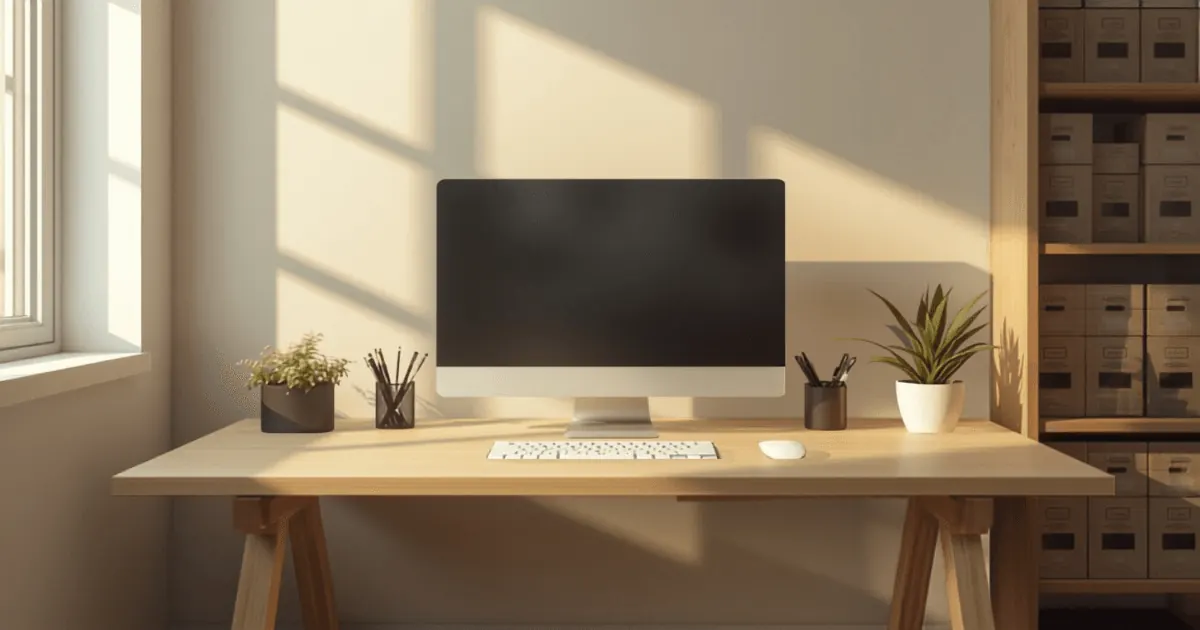
Your home office desk is the command center of your work-from-home operation. Whether you're answering emails, attending video calls, or tackling creative projects, a cluttered and disorganized desk can drain your focus, waste valuable time, and create unnecessary stress. Learning how to organize a home office desk properly transforms it from a source of chaos into a productive sanctuary that supports your best work.
A well-organized desk does more than just look tidy. It reduces decision fatigue, minimizes distractions, and helps you locate essential items instantly without hunting through piles of papers or drawers. The good news? Organizing your desk doesn't require a complete overhaul or expensive storage systems. With the right approach and a systematic strategy, you can create a functional workspace that you actually enjoy using.
In this comprehensive guide, we'll walk through proven methods to organize your home office desk, covering everything from the initial decluttering phase to maintaining your system long-term.
Start with a Complete Decluttering Phase
Before you can organize anything, you need to know exactly what you're working with. The first step in how to organize a home office desk is to remove everything from your surface and desk drawers.
Pull out every pen, notepad, file folder, charging cable, and miscellaneous item. Yes, everything. Lay these items on a nearby surface so you can see what you actually have. This may feel overwhelming at first, but it's essential for creating an intentional system rather than simply rearranging clutter.
As you examine each item, ask yourself critical questions: Do I use this regularly? Does this belong on my desk, or should it live elsewhere in my office or home? Is this broken, dried out, or otherwise non-functional? Be honest in your answers. If you haven't used that decorative pencil holder in six months, or if you have eight identical pens when you only use one at a time, it's time to let go.
This decluttering phase typically eliminates 40-60% of desk contents. You'll likely find dried-out markers, duplicate supplies, old business cards, and items that migrated to your desk without purpose. Let them go. The goal is to keep only items that serve a genuine function in your daily work.
Categorize Items by Function and Frequency of Use
Once you've decluttered, it's time to create a logical system. Organize your remaining items into functional categories based on how you actually work.
Writing Supplies should include only the pens, pencils, and markers you regularly use. Group similar items together: keep all pens in one container, all pencils in another. This prevents you from grabbing a pen, writing two words, and discovering it's out of ink mid-sentence.
Reference Materials encompass items you need to access during work, such as style guides, client lists, or frequently called phone numbers. These belong within arm's reach but not taking up prime desk real estate.
Technology and Charging includes cables, chargers, and adaptors. Designate a specific drawer or organizer for these items so they're accessible but hidden from view.
Paper-Based Items like notepads, sticky notes, and index cards should be grouped together. Consolidate to one primary notepad rather than keeping five different pads scattered across your desk.
Decorative and Personal Items serve a psychological purpose--they make your space feel like yours. Limit these to 2-3 meaningful pieces that bring you joy without creating visual chaos.
Work-In-Progress Items are documents, projects, or materials you're actively using. These can have a small, designated section, but avoid letting them sprawl across your entire desk.
Categorizing helps you understand where everything belongs and why. This systematic approach is fundamental to how to organize a home office desk effectively.
Designate Zones on Your Desk Surface
Your desk surface should follow the principle of zones: different areas assigned to different functions. Think about your typical workflow and create zones accordingly.
The Command Zone sits directly in front of where you sit when working. This is prime real estate reserved for your primary task: your computer keyboard and mouse, your monitor, or your current project. Keep this zone as clear as possible. Every item here should be something you use continuously throughout your workday.
The Reference Zone occupies the upper right or left quadrant (depending on your dominant hand) and holds reference materials you glance at frequently. If you often check a style guide or client phone list while working, place it here where your eyes naturally wander.
The Supply Zone contains your daily-use supplies: pens in a holder, notepad, and perhaps a small organizer for sticky notes. Keep this zone compact. You don't need twenty writing instruments taking up valuable space.
The Utility Zone lives in a corner or designated area for items you use occasionally but keep nearby: a small trash bin for paper scraps, a cup for pens, or a holder for business cards. This zone keeps everyday items accessible without cluttering your main work area.
The Clear Zone is equally important: a section of your desk you intentionally leave empty. This gives your eyes a resting place, provides space for new projects, and prevents your desk from feeling perpetually full. Many productivity experts recommend keeping at least 25% of your desk surface clear.
These zones should feel natural to your work style, but establishing them creates invisible boundaries that prevent clutter from spreading.
Choose the Right Storage Solutions for Your Desk
How to organize a home office desk depends heavily on your storage infrastructure. You need systems that work with your desk's design, not against it.
Drawer Dividers transform one messy drawer into multiple organized compartments. Use dividers to separate writing supplies, tech cables, notepads, and reference materials. Small adjustable dividers work well for most desk drawers and cost very little. Compare Options to compare adjustable desk drawer dividers that split one drawer into zones.
Desktop Organizers sit on your desk and hold supplies vertically, using vertical space efficiently. Choose organizers with compartments sized for your most-used items. Avoid oversized organizers that take up too much precious desk real estate. Compare Options to see desktop organizers with compartments sized for pens and supplies.
File Holders or Desk Trays keep papers organized and visible. A single tier holds active projects; avoid stacking multiple trays, which creates visual clutter and makes finding documents harder. Compare Options to browse desk file trays that keep active paperwork visible.
Drawer Containers help you use deeper drawers efficiently. Group similar small items in containers within the drawer so you're not digging through a jumble of supplies.
Wall-Mounted Storage keeps items off your desk entirely. Shelves, pegboards, or hanging organizers hold reference materials, supplies, or decorative items while preserving precious desk surface.
Cable Management Solutions prevent charging cables and cords from creating a tangled mess. Use clips, sleeves, or a simple elastic band to bundle cables together and route them out of sight. Compare Options to find cable management kits that tame charger and cord clutter.
The best storage solutions are those you'll actually use consistently. If you choose a complicated system that requires excessive setup time, you won't maintain it. Simplicity and accessibility win.
Implement the One-Touch Rule and Daily Habits
Organizing your desk once is satisfying; maintaining it is the real challenge. The one-touch rule helps: when you pick up a piece of paper or item, deal with it immediately rather than setting it down "for now."
If you've read an email, act on it, file it, or delete it--don't leave it open on your desk. If a magazine arrives, tear out relevant articles and recycle the rest. This prevents items from accumulating while waiting for action.
Daily closing rituals also preserve your organization. Spend the last five minutes of your workday resetting your desk. File documents, clear your coffee cup, put supplies back in their designated homes, and clear the main work surface. You'll start the next day with a clean slate and immediate mental clarity.
Weekly deep cleaning takes ten minutes but prevents clutter from rebuilding. Wipe down surfaces, reorganize drawer dividers if items have shifted, and assess whether anything new has migrated to your desk without purpose.
These small habits require minimal time but create enormous payoffs in maintaining the organized system you've built.
Address Digital Organization Simultaneously
How to organize a home office desk isn't limited to physical items. Digital clutter creates mental clutter just as effectively as physical chaos.
Your desktop should contain only current projects or frequently accessed folders. Create a folder system within your computer that mirrors your physical organization. If you have a "Projects" zone on your desk, create a "Projects" folder on your computer with subfolders for each active initiative.
Keep your email inbox relatively clear by filing handled messages into folders or archives. When your inbox contains hundreds of emails, finding essential information becomes difficult, and you experience decision fatigue every time you open email.
Close unnecessary applications and browser tabs while working. Each open window competes for your attention and mental resources. When you finish with an application or website, close it rather than leaving it running in the background.
This digital organization supports your physical organization by reducing overall cognitive load.
Personalize Your Organized System
An organized desk should reflect your personality and work style. If you thrive with visual inspiration, include a few meaningful decorative items. If you work best with minimal visual input, keep your system nearly austere.
The key is intentionality. Every item on your desk should earn its place through either function or genuine joy. That plant on your desk that makes you smile? Absolutely keep it. That pile of business cards you haven't used in two years? Time to let it go.
Personalizing your organization system makes you more likely to maintain it because it feels like your space rather than someone else's prescribed system.
Conclusion: The Ongoing Benefits of a Organized Home Office Desk
Learning how to organize a home office desk is an investment in your productivity, focus, and daily work experience. A well-organized desk means faster task switching, reduced decision fatigue, fewer lost items, and a professional appearance for video calls.
The process requires initial effort: declaring, categorizing, and implementing storage solutions. But that upfront work pays dividends every single day you work. You'll save time searching for items, maintain better focus on meaningful work, and approach your desk with a sense of calm rather than overwhelm.
Remember that organization isn't about perfection; it's about creating systems that work for your specific needs and maintaining them consistently. As your work demands evolve, your desk organization can evolve too. The framework remains the same: keep only what serves you, assign everything a specific home, and maintain your system through daily and weekly habits.
Your home office desk deserves to support your best work. With these strategies, you can transform it from a source of stress into a functional, pleasant workspace that enhances your productivity and professional presence.